






The optimization studio for your 3D contents
Polygon Cruncher is a 3D simplification software that takes place inside your 3D pipeline. Whether your activities are related to architecture, video games, CAD, 3D printing, or history (3D scan), Polygon Cruncher provides solutions for simplifying your 3D assets.
Polygon Cruncher is available in different versions, depending on your specific needs:
- Plugin integrated into 3DS Max, Maya, Lightwave or in a bundle with3DBrowser for greater productivity
- Command Line version to automate simplification of your 3D meshes with MagicCruncher, on a web server for example.
- Standalone version, combining optimization and AO & normal baking in a single tool. It supports a wide range for 3D standard formats (FBX, GLTF, STL, Modo, Cinema4D, Sketchup, Blender...), making it usable in a Revit, ArchiCAD, Modo or Cinema 4D context, for example.
- Polygon Cruncher SDK version for a closer integration to your specific tools.
The reference tool for polygonal simplification
Polygon Cruncher application uses an exceptional algorithm developed since 15 years, which gives incomparable results, really better than what you can get with the default optimizer provided with Blender, Autodesk 3DS Max, Autodesk Maya or Lightwave.
Polygon Cruncher simplifies huge 3D meshes from several millions of polygons up to 100 million, on a powerful configuration and this at incredible speed.
Polygon Cruncher provides high simplification results, through an intuitive interaction. It has been chosen by major 3D companies: Autodesk, Anark, Nitendo, Ubisoft, Activision, Epic Games, Airbus, Boeing, Sega, Sony, 3DO...

 3D optimization, what's the use?
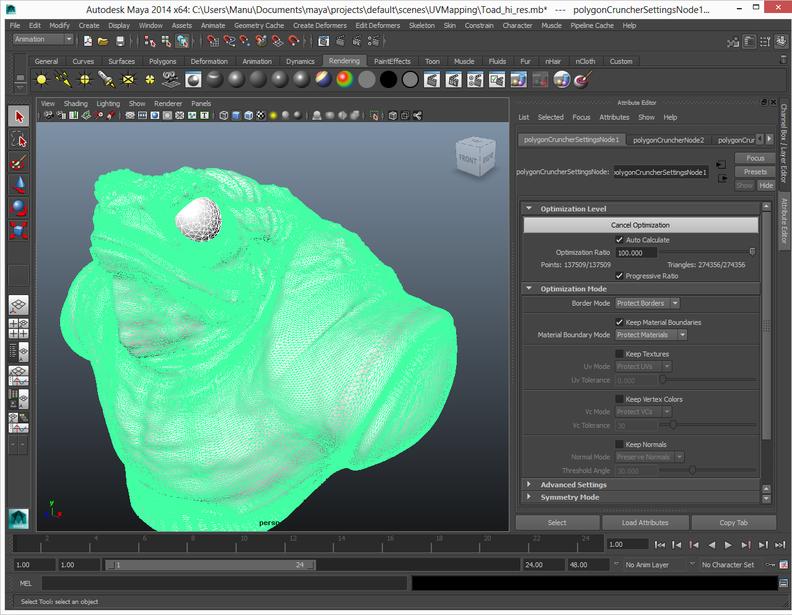
3D models have often unnecessarily complex geometry that can be simplified without compromising details and model quality. Some new technologies generate so much polygons that it could be difficult to use the result, as in the case of the 3D scan.
Simplification intended to accelerate the real-time visualization (video games, architecture), to reduce data size (mobile or web usage), to facilitate interaction with 3D data (modeling, online catalog...).
Why opt for Polygon Cruncher?
- It simplifies and takes care of your data
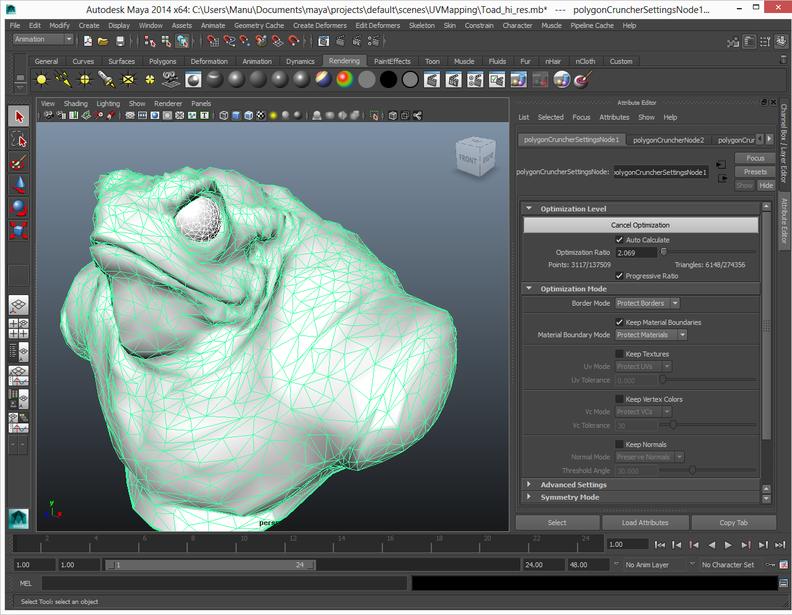 Polygon Cruncher reduces the number of polygons of your objects without changing the quality of their details. On some models, 95% of the faces can be removed without loss. You keep UV texture and other information (vertex colors, normals). Object borders, UVs seams, material boundaries are preserved... It is also possible to keep the symmetry of objects during the simplification process.
- A interactive tool for an optimal optimization
Polygon Cruncher's speed is unbeatable and interactivity makes the optimization process fast and easy.
- MagicCruncher: automatic optimization
 MagicCruncher is particularly powerful when used through the command line or batch processing because it offers both a good optimization ratio, quality results and this fully automatically.
- Bake PBR maps: integrated creation of normal maps & ambient occlusion
Normal mapping is a technique used for faking the lighting of bumps and dents. This technique is used to add details from the original mesh to the low poly mesh without using more polygons.
Ambient occlusion (AO) maps can also be calculated in the same step.
Polygon Cruncher (StandAlone) combines the simplification process with the creation of normal maps and, in a few clicks, you add an extra degree of realism to your low resolution object.
These functions are integrated into the module as part of batch processing. If you wish, you can add Normal Maps or AO to the generated LODs, and that's all there is to it! Optimization is performed on hundreds of models, and the LODs generated include Normal Maps and ambient occlusion.
- Additional features
Polygon Cruncher includes other features such as progressive optimization that makes easier to find a global optimization level for a scene that contain many objects.
Polygon Cruncher includes cleaning tools for geometry or topology such removing coplanar faces, deleting confused points, merging meshes by materials or into a single object, bursting a mesh into separate elements...
- An open tool
Polygon Cruncher takes place into your software through its specific versions (3ds Max, Maya, Command Line...). But it also connects with your specific environment as it supports a wide range of 3D formats: Cinema 4D, Modo, FBX, Collada, SketchUp, STL ...
The update mode, available for some formats, injects geometry in a copy of the original file keeping all additional data (animation, skeleton, specific material from Revit ...)
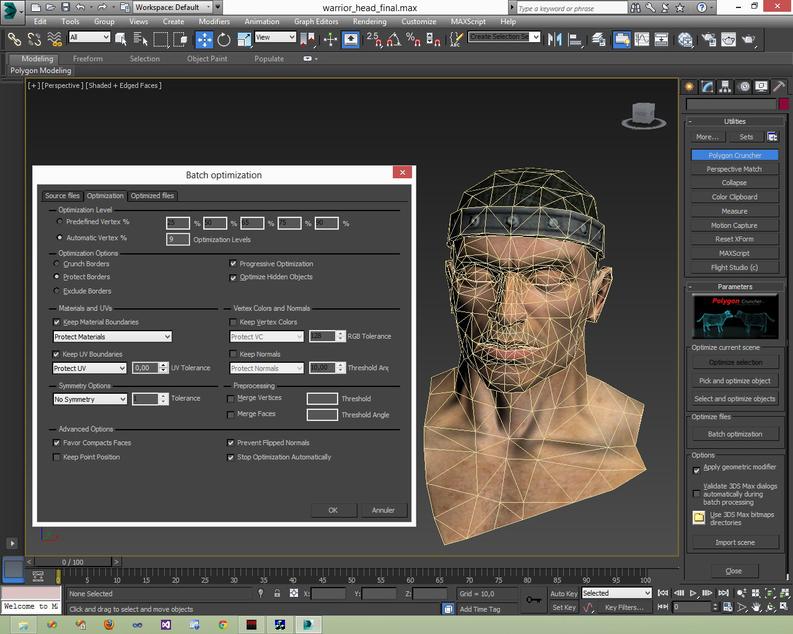 Polygon Cruncher for Autodesk 3ds Max
Optimize your biggest meshes using 3ds Max plugins: a modifier for real time and interactive optimization in 3ds Max viewer or an utility plugin for optimization in an external viewer.
Polygon Cruncher for 3ds Max includes 3 different modules:
- A modifier plugin which allows real time optimization for one or several meshes in 3ds Max viewer. You control optimization on the selected meshes globally or individually.
This plugin can used through MaxScript which allows optimization for specific needs. - An utility plugin that includes a built-in OpenGL viewer. It offers a per-object control of the optimization and includes the MagicCruncher feature.
This plugin includes a batch processing module which generates different LODs from your 3D assets.
The plugin also allows to import various 3d file formats into 3ds Max.
- Polygon Cruncher Standalone for optimizing your 3D assets that come from various file formats (sketchup, wavefront, stl, modo, cinema4D...). This independent software also includes normal maps baking, batch processing and MagicCruncher feature.
A tutorial demonstrates how to setup Polygon Cruncher for 3ds Max.
Polygon Cruncher for Autodesk Maya
Interactively simplify your scenes inside Maya using Polygon Cruncher plugin and mel specific commands. Keep your object properties (textures, vertex painting, animation) and tune optimization in real time to suit your needs.
- A Maya plugin which allows real time optimization in maya viewer.
Select one or more polygonal meshes then type polyCrunch command in the mel editor.
A Polygon Cruncher node is added and connected to the selected meshes and take place in Maya 3D flow.
You control optimization of the selected objects globally or individually. - A batch processing module for generating different LODs from your Maya 3D assets. This module includes MagicCruncher feature.
- Polygon Cruncher Standalone for optimizing your 3D assets that come from various file formats (sketchup, wavefront, stl, modo, cinema4D...). This independent software also includes normal maps baking, batch processing and MagicCruncher feature.
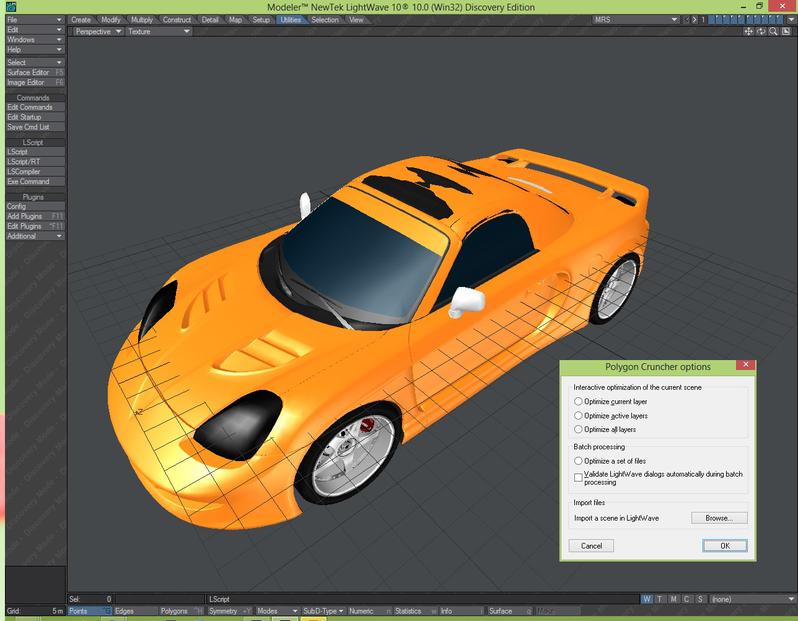 Polygon Cruncher for Lightwave
Decimate objects from a single or several layers of your Lightwave scene and reduce the rendering time, using Polygon Cruncher plugin which is integrated in the Lightwave Modeler. Once optimized, your meshes keep their extra information (animation, bones, textures...).
Polygon Cruncher for Lightwave includes 2 different modules:
- A Lightwave plugin that includes a built-in OpenGL viewer and allows to optimize the content of one or several layers.
It offers a per-object control over optimization and includes MagicCruncher feature.
The utility plugin includes batch process module for your Lightwave files and generates different LODs for your 3D assets.
This plugin is also a way to import files from various 3D file format into Lightwave. - A batch processing module for generating different LODs from your Lightwave 3D assets. This module includes MagicCruncher feature.
- Polygon Cruncher Standalone for optimizing your 3D assets that come from various file formats (sketchup, wavefront, stl, modo, cinema4D...). This independent software also includes normal maps baking, batch processing and MagicCruncher feature.
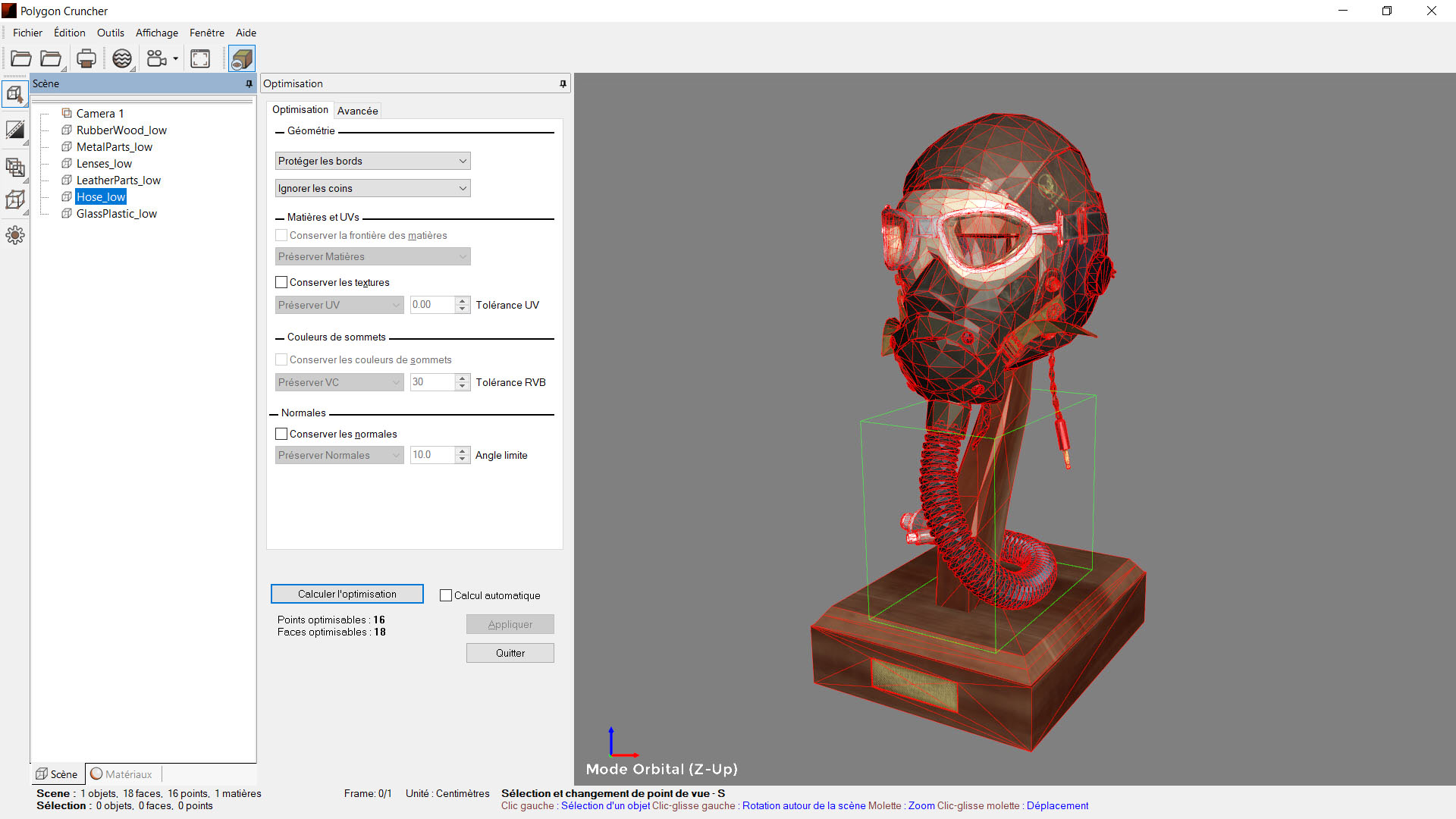 Polygon Cruncher Standalone
Polygon Cruncher Standalone is provided by default with any other Polygon Cruncher license (3ds Max, Maya, Lightwave, 3DBrowser, Command Line).
Polygon Cruncher Standalone is an independent software dedicated to 3D optimization that support the following formats:
| FBX (Autodesk FBX) | GLTF / GLTB | USDA/USDC/USDZ | Blender 3 & 4 |
|---|---|---|---|
| Skp (Sketchup) | E57 (point cloud) | C4d (Cinema 4D) | 3ds (3D Studio) |
| Obj (Wavefront) | Stl (Stereolithography) | Dae (Collada) | Lwo, Lws (Lightwave) |
| Lxo (Modo) | Max (3ds Max) using the provided plugin |
Mb, Ma (Maya) using the provided plugin |
Xsi (Softimage) using Crosswalk |
| And also Dxf, Kmz, Ply, Wrl, Vrml, A3d (Amapi), Cob (Truespace)… | |||
Polygon Cruncher StandAlone allows you to:
- An interactive optimization through a built-in OpenGL window which offers a global optimization over the whole scene or provides a finest per-object control. MagicCruncher adjusts automatically the decimation rate depending on your needs.
- The computation of normal maps & AO in a few clicks for low poly objects, which reinforces the realism of the objects obtained.
- A batch processing module for simplifying in few clicks the content of one or several folders. You generate different LODs from your 3D assets. MagicCruncher feature provides ready-to-use results without your intervention.
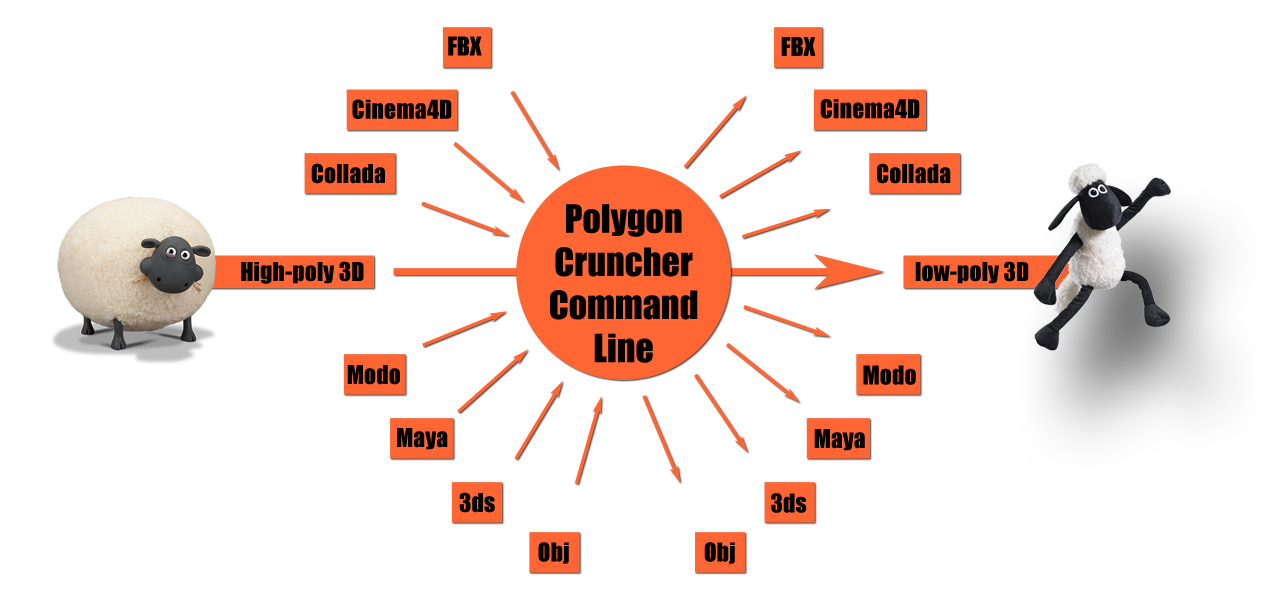 Polygon Cruncher Command Line
Automated optimization ...
The command line version is the easiest way to include an optimization process in your 3D pipeline or to offer a decimation service on a web server.
Polygon Cruncher exposes all its features though the command line in order to batch your 3D assets from external processes. Using Polygon Cruncher Command Line allows to integrate 3D data simplification in your pipeline and to generate automatically LODs from your meshes or lighten your CAD or architectural scenes for easier sharing or real-time visualization.
The MagicCruncher option automatically determines the level of simplification offering the best compromise between visual quality and low number of polygons.
Polygon Cruncher Command Line increases your productivity helping you to visualize complex projects or facilitating the publication of your assets on different media. Polygon Cruncher Command Line can be called on a local computer from the Windows Shell using a bat file or from a server.
All the switches are fully documented, and visual or textual log could be generated for validating the success of the process.
... Adaptable to your needs
The usual 3D formats are supported for importing and exporting your data, such as Maya, GLTF, FBX, Sketchup, Blender, Cinema4D, Modo, Collada, Wavefront, STL, Lightwave, 3ds, etc ...
If you need to support a particular format or add your own proprietary 3D data format, this is possible! We can achieve this integration on demand according to your detailed specifications. Please contact us at 
 Polygon Cruncher with 3DBrowser Pro (bundle)
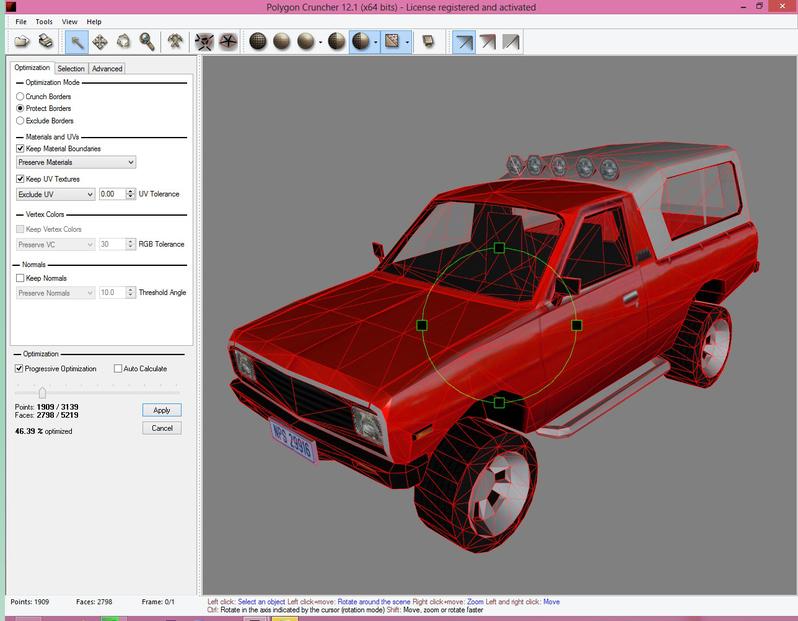
Browse your folders using 3DBrowser Pro and reduce your assets quickly using the integrated version of Polygon Cruncher in a 3D view, or through the batch module. Control accurately materials, textures, normals and vertex painting optimization.
3DBrowser Pro integrates Polygon Cruncher in its interface to make it easier selecting the files you want to optimize. It includes:
- An interactive optimization through a built-in OpenGL window which offers a global optimization over the whole scene or provides a finest per-object control. MagicCruncher adjusts automatically the decimation rate depending on your needs.
- The computation of normal maps and AO in a few clicks for low poly objects, which reinforces the realism of the objects obtained.
- A batch processing module for simplifying in few clicks the content of one or several folders. You generate different LODs from your 3D assets, with normal maps and AO if you wish. MagicCruncher feature provides ready-to-use results without your intervention.
- Polygon Cruncher Standalone for optimizing your 3D assets that come from various file formats.
 Polygon Cruncher SDK
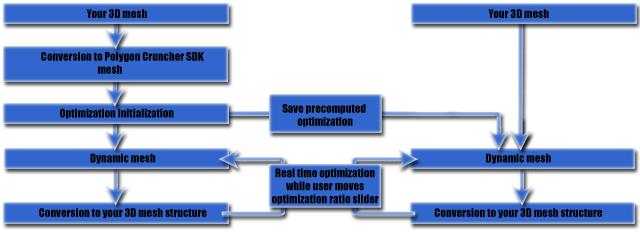
Polygon Cruncher SDK is the solution to integrate quickly Polygon Cruncher features to your specific tools. Dedicated to developer, the Visual Studio C++ libraries provide an efficient answer to your 3D import/export requirements and solve your real time visualization problems.
You can get further details about Polygon Cruncher SDK on this specific page.