

3DBrowser
3DBrowser Pro (including Polygon Cruncher)
new features Download 3DBrowser Pro
30 days full trial Download 3DBrowser
30 days full trial
Overview
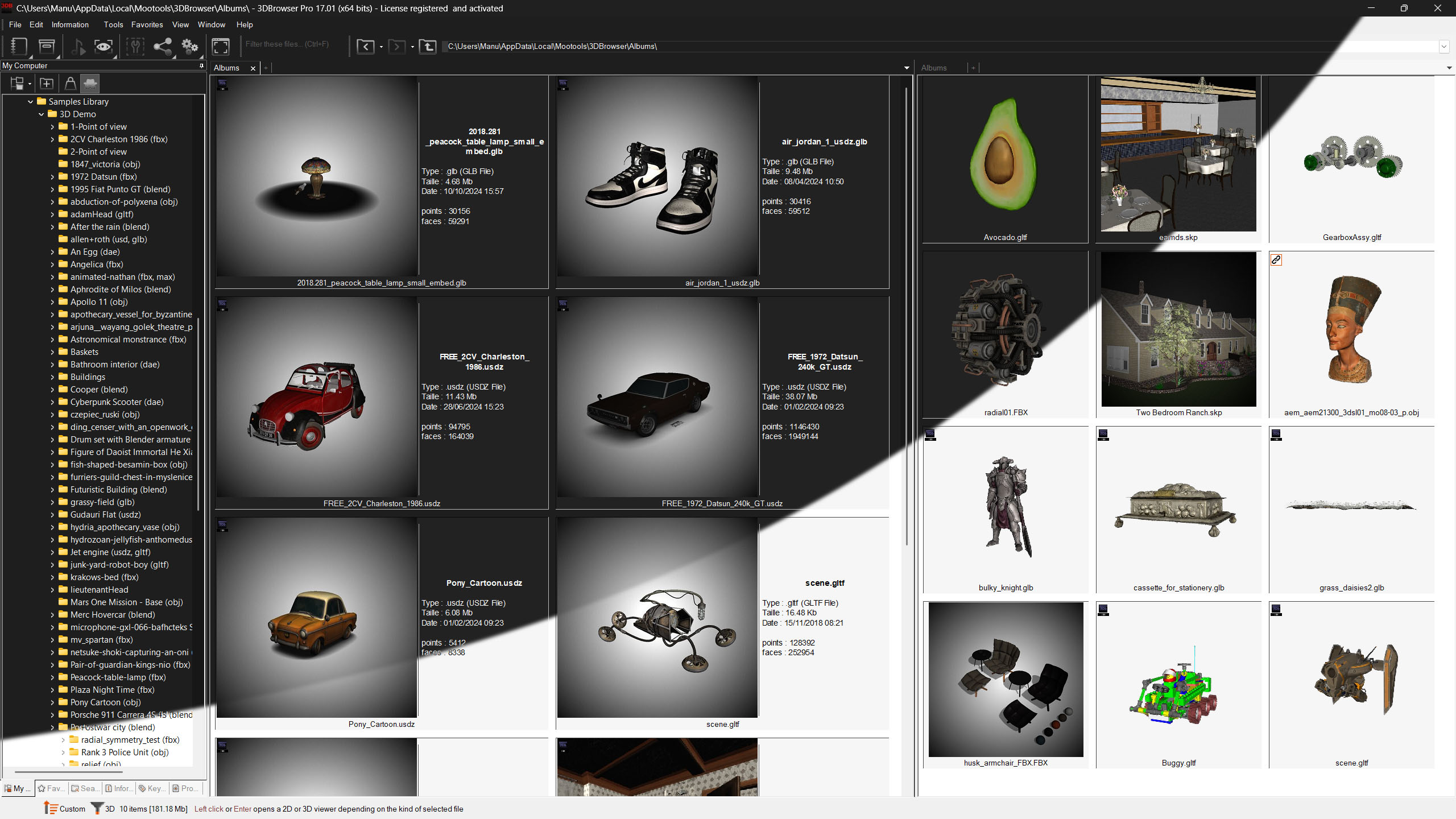
3DBrowser is a desktop software for managing, visualizing and optimizing your 3D content.
3DBrowser offers a file explorer dedicated to 3D content, a powerful scene viewer with extensive functionality and an image viewer for the most common needs.
3DBrowser can be integrated into a wide range of 3D pipeline: architecture, video games, scientific data, 3D printing...
A file explorer dedicated to 3D...
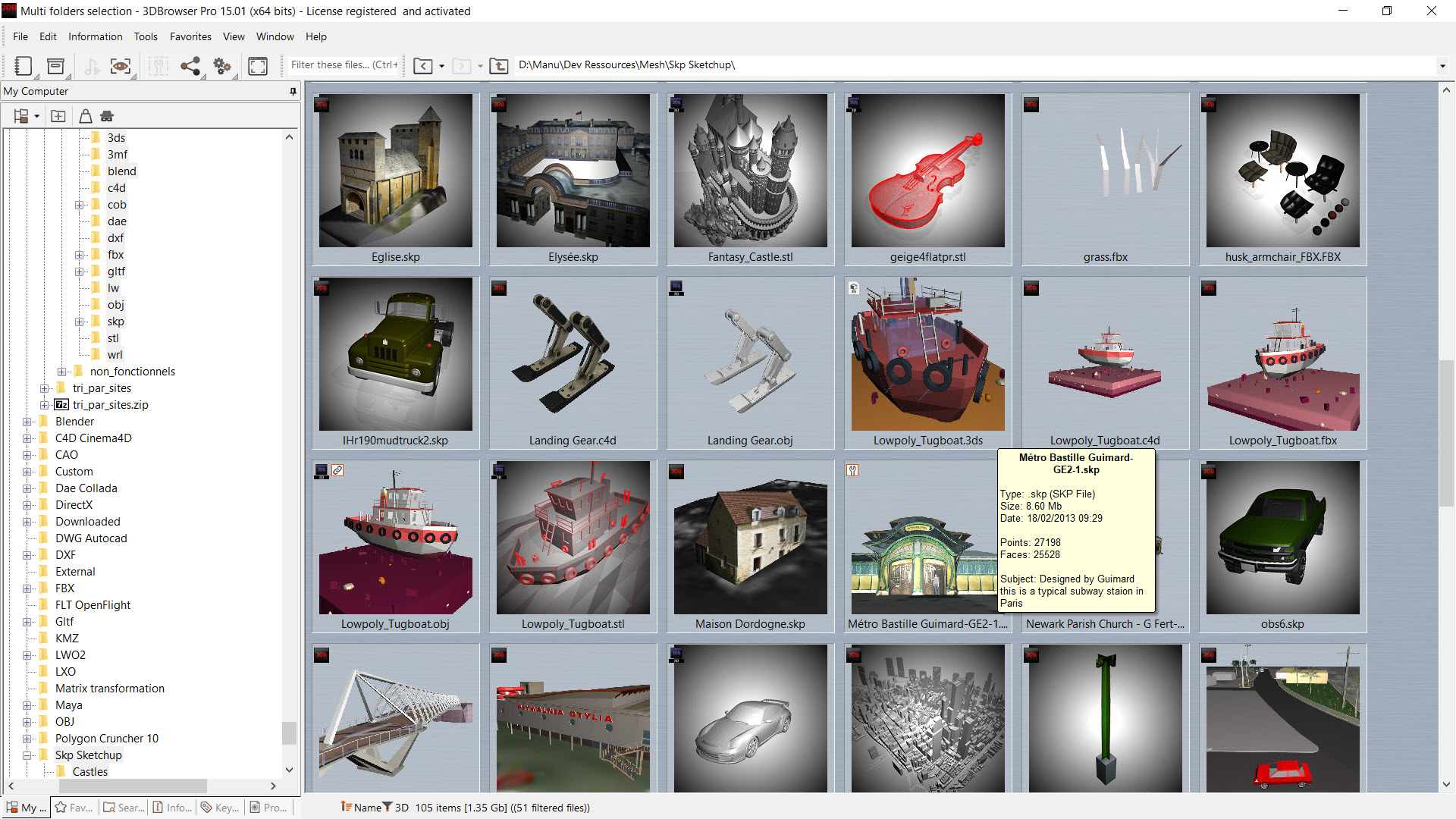
Fast and powerful, it lets you organize your 3D model libraries with large, customizable preview thumbnails.
You'll find everything you need to view, filter, sort, organize and search your 3D scenes and images. Find the model you're looking for quickly and efficiently.
To help you organize your collections of 3D objects, you can document, annotate, and categorize your content and access it from your computer or local network.
This explorer offers multiple tabs and the ability to split the view into 2 to simplify operations between directories.
...at the heart of your 3D models
With a single click, you can visualize and explore your models and find all the tools you need to simplify polygonal meshes, calculate your normal or ambient occlusion maps (Pro version), create a texture atlas and export the result in one of the many available 3D formats
Batch conversion and optimization features increase your productivity and make it easy to share your 3D content.
3DBrowser improves interoperability between different 3D software packages and integrates perfectly into a chain including 3ds Max, Maya or Sketchup with Unreal Engine or Unity.
3DBrowser recognizes most of images formats and many 3D formats:
| FBX (Autodesk FBX) | GLTF / GLTB | USDA/USDC/USDZ | Blender 3 & 4 |
|---|---|---|---|
| Skp (Sketchup) | E57 (point cloud) | C4d (Cinema 4D) | 3ds (3D Studio) |
| Obj (Wavefront) | Stl (Stereolithography) | Dae (Collada) | Lwo, Lws (Lightwave) |
| Lxo (Modo) | Max (3ds Max) using the provided plugin |
Mb, Ma (Maya) using the provided plugin |
Xsi (Softimage) using Crosswalk |
| And also Dxf, Kmz, Ply, Wrl, Vrml, A3d (Amapi), Cob (Truespace)… | |||
Visualize your digital models
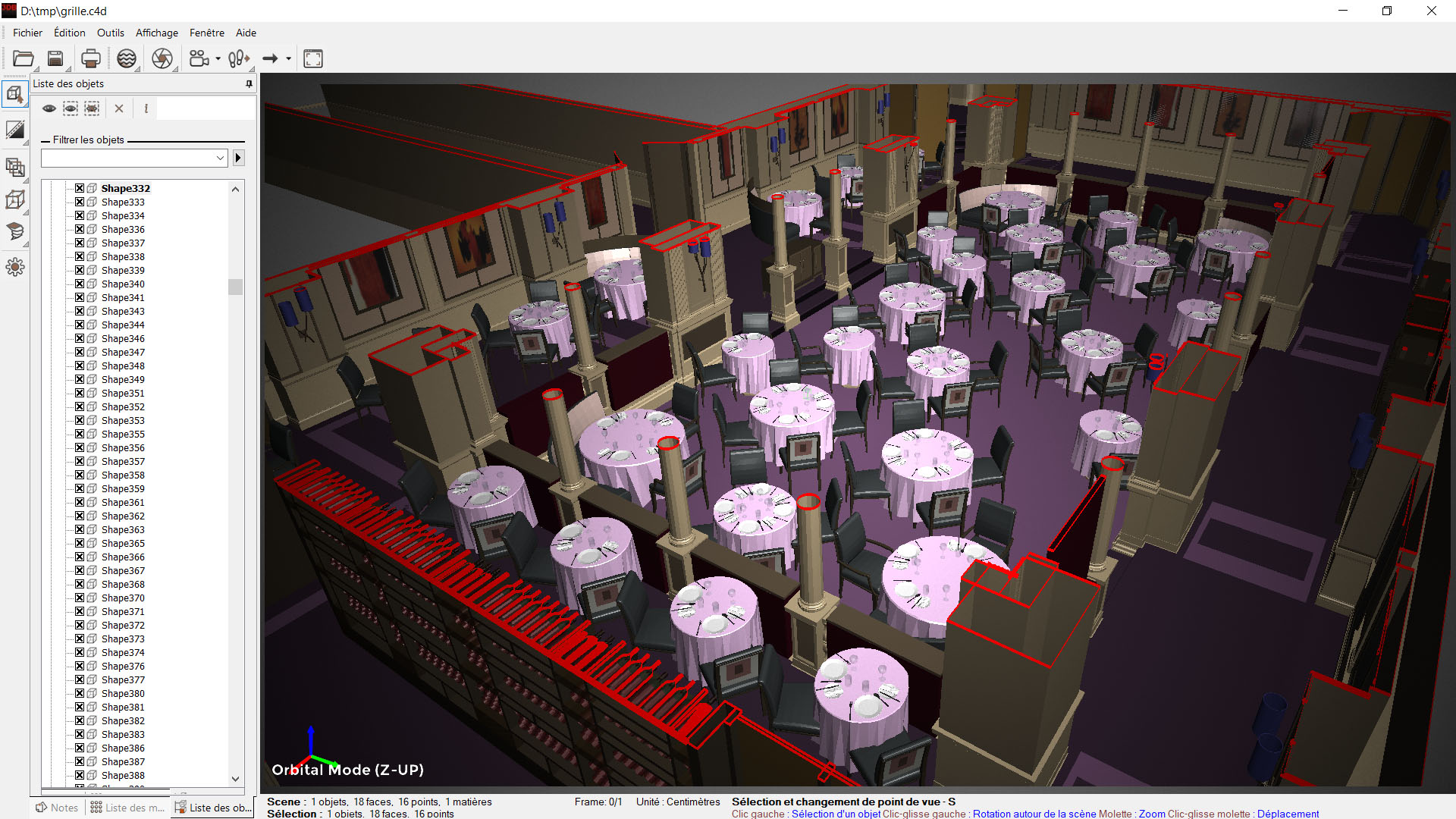
Advanced rendering and preview
The viewer is compatible with all the usual data, including those for textures, vertex colours and user normals.
The viewer works in conjunction with the 3DBrowser and Windows file explorer, producing preview thumbnails over which you have complete control.
This enables the user to define a particular point of view combined with a specific display mode for a particular 3D file, an entire directory, or a specific 3D format.
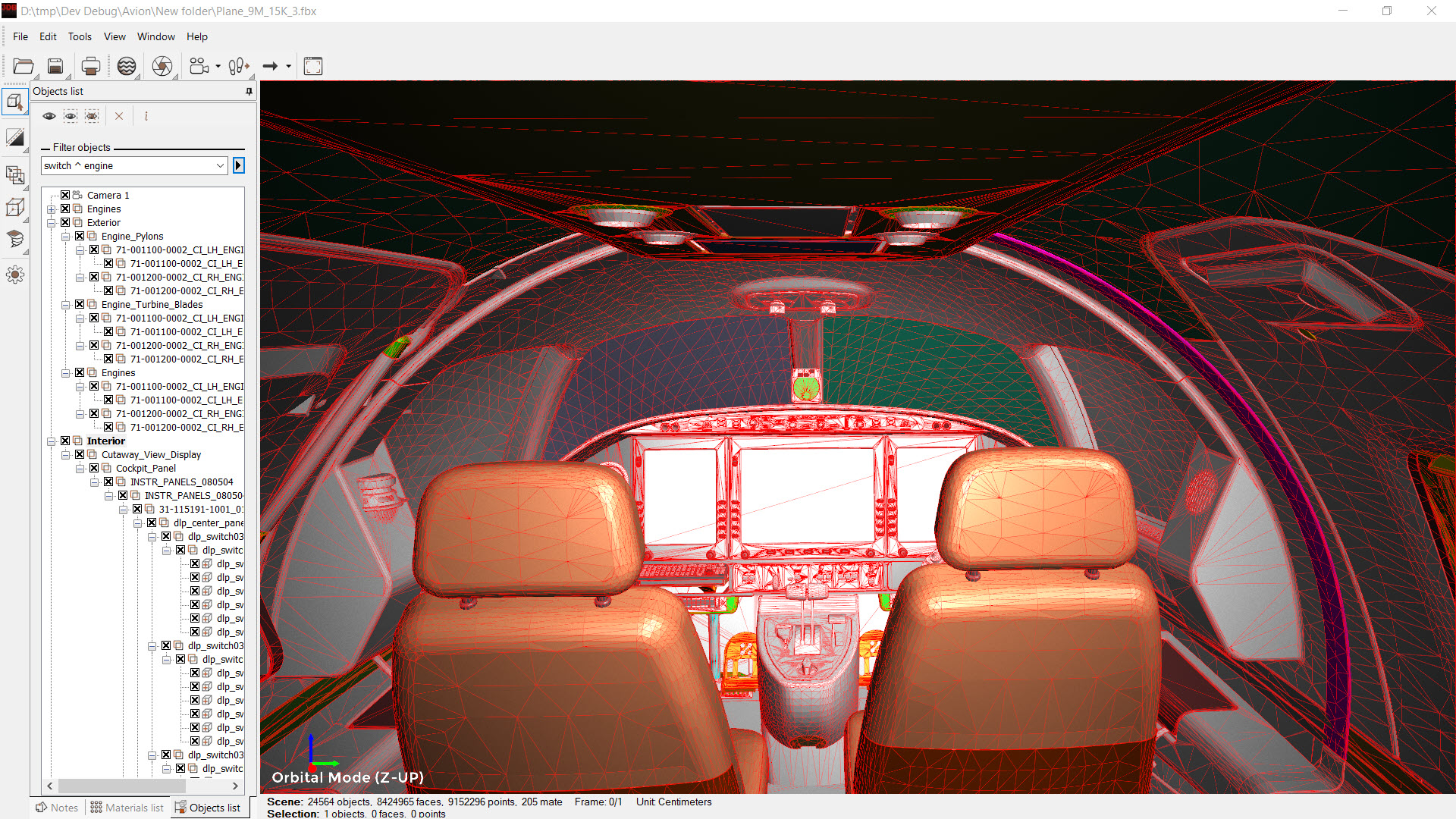
The rendering incorporates normal maps and AO (ambient occlusion) to generate more realistic vignettes. Additionally, a variety of other display modes are available to enhance content (vignetting, mirroring, shadows) or reveal pertinent information (AO/NMAP/Wireframe mode) or cutaway views. (Pro version).
Intuitive camera and filtering
3DBrowser's powerful 3D viewer provides a royal road to the heart of your 3D data. Don't get lost in the navigation and inspect the scene from every angle.
Intuitive navigation lets you explore your complex models: targeted zoom, orbital rotation around a specific object or point, airplane mode, fast recentering come in handy for examining scene details or getting an overall view. You can save your specific viewpoints and recall them later if necessary.
Support for the E57 format also makes it easy to explore point clouds and complex data sets from laser scanners or 3D captures.
Detailed information and notes
Complex scenes can consist of thousands of objects. A quick name filter with logical operators simplifies traversing complex hierarchies and lets you instantly show or hide specific objects.
You have access to the heart of the information: visualization of normals, point or face indices, detailed information on topology, material assignments, display of UV mapping...
3DBrowser is a complete diagnostic tool that allows you to solve specific problems by accessing information not available in other software.
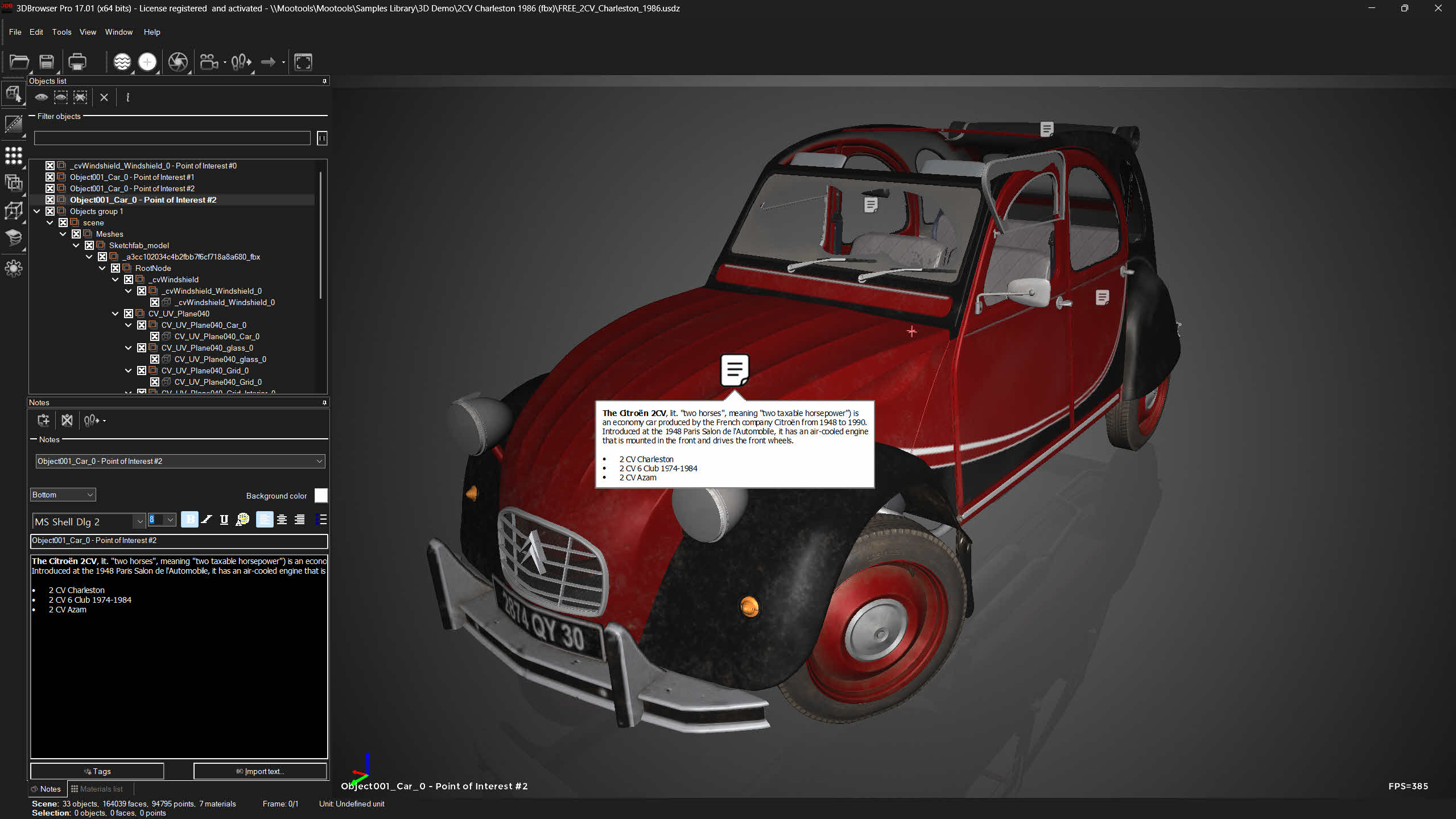 3DBrowser (Pro Version) also offers annotation capabilities to enhance information sharing, especially for project tracking. Annotate objects in the 3D view from the most appropriate angle and streamline your projects. Annotations are visible in all versions of 3DBrowser.
Import & Export
3DBrowser allows you to merge 3D projects spread over multiple files within a single scene, which is common in CAD.
Interoperability between different software programs is simplified with support for the major 3D formats (fbx, gtlf, collada, wavefront, sketchup, cinema 4d, modo, and others).
Exporting the scene to a specific 3D format offers many conversion options. As well as controlling the exported geometry, you can also move, convert or resize textures, making it easier to share data.
Several tools help you prepare for export: merge objects, reorganize objects by material, separate objects that are not topologically connected, merge confused points...
You can also print or export an image or animated gif from your scene.
3DBrowser is a hinge between your various production tools (3ds Max, Maya, Sketchup, Cinema 4D or Blender) and distribution tools (Unreal Engine, Unity or others).
Simplify & improve performance
A Polygon Decimator...
3DBrowser Pro includes Polygon Cruncher, a tool designed to reduce the number of faces on your objects while preserving the quality of their detail. Of course, you keep the object's textures and, if you wish, other information such as vertex colors or normals.
Polygon Cruncher's MagicCruncher feature automatically determines the ideal level of optimization for each object in a scene. You do not have to do anything, everything is done automatically.
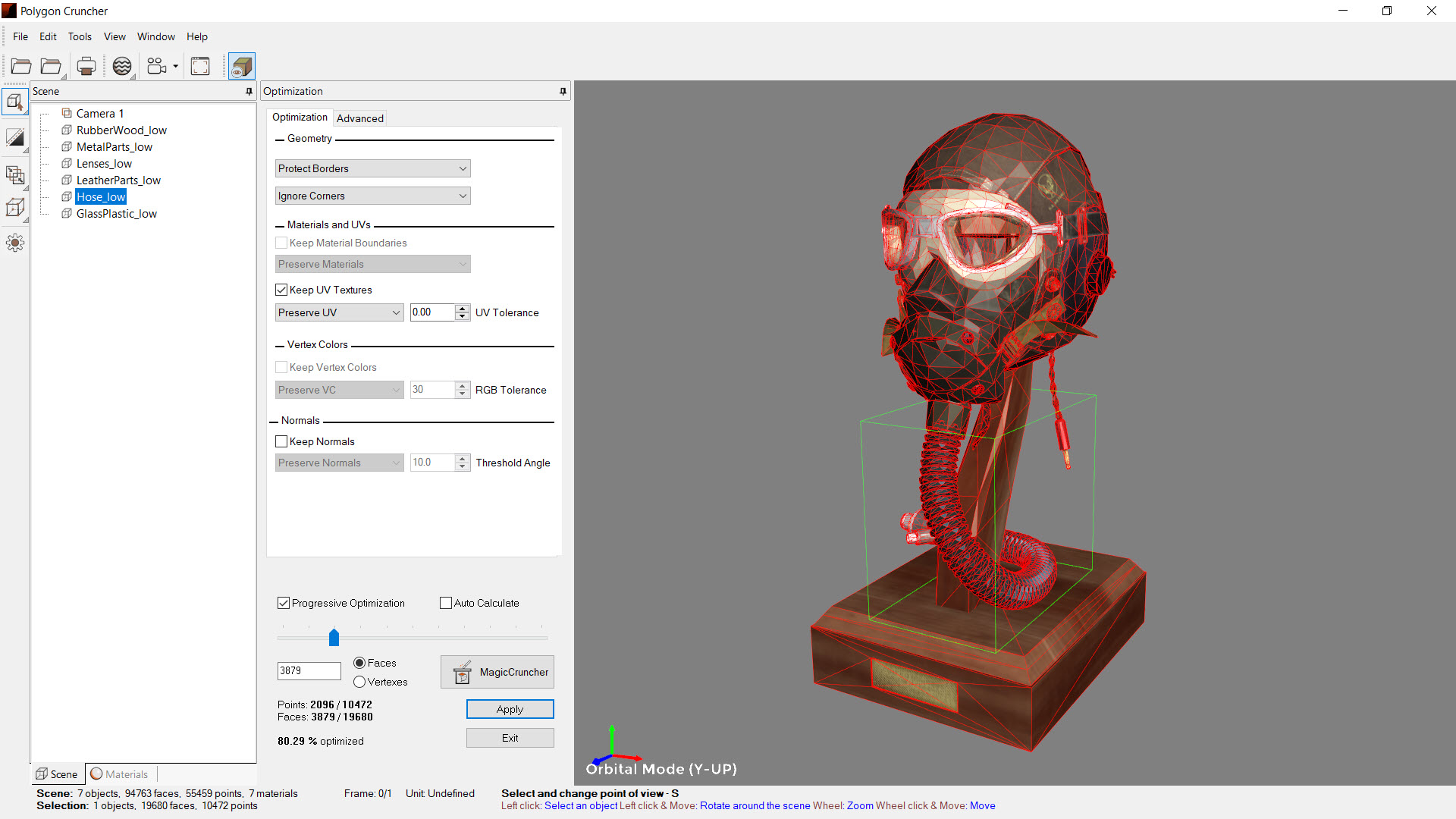 By viewing the scene as it is optimized, you can choose the level of simplification that is right for you.
...including the creation of PBR maps
Once the simplification is complete, create normal or ambient occlusion (AO) maps to improve detail and rendering.
In this process, Polygon Cruncher reinjects the details of the high-resolution object into the simplified object, enhancing its resemblance to the original.
With a minimum of manipulation, your object, its normal maps and the AO are ready to be used in production and exported for the web, in GLB format with integrated textures for example.
...and atlas creation
Depending on your needs, the atlas creation tool will group your textures by detecting possible duplicates, simplify materials by grouping them, and drastically reduce drawcalls.
You specify the size of the atlas and its textures and they will be grouped according to their PBR type (diffuse, ao, nmaps...).
Atlas creation works on a single object or a complete scene.
Batch optimization
With Polygon Cruncher you can batch optimize scenes in a directory and automatically generate your LODs.
You choose one or more target detail levels or let MagicCruncher operate automatically. If you wish, you can add normal maps or AO to the generated LODs and off you go!
Optimization is performed without intervention on hundreds of models.
Polygon Cruncher is included in 3DBrowser Pro as a plugin directly accessible from the user interface.
Purchasing a 3DBrowser Pro licence also gives you access to Polygon Cruncher StandAlone, a standalone application dedicated to polygon mesh optimisation.
Visualize your textures, your images
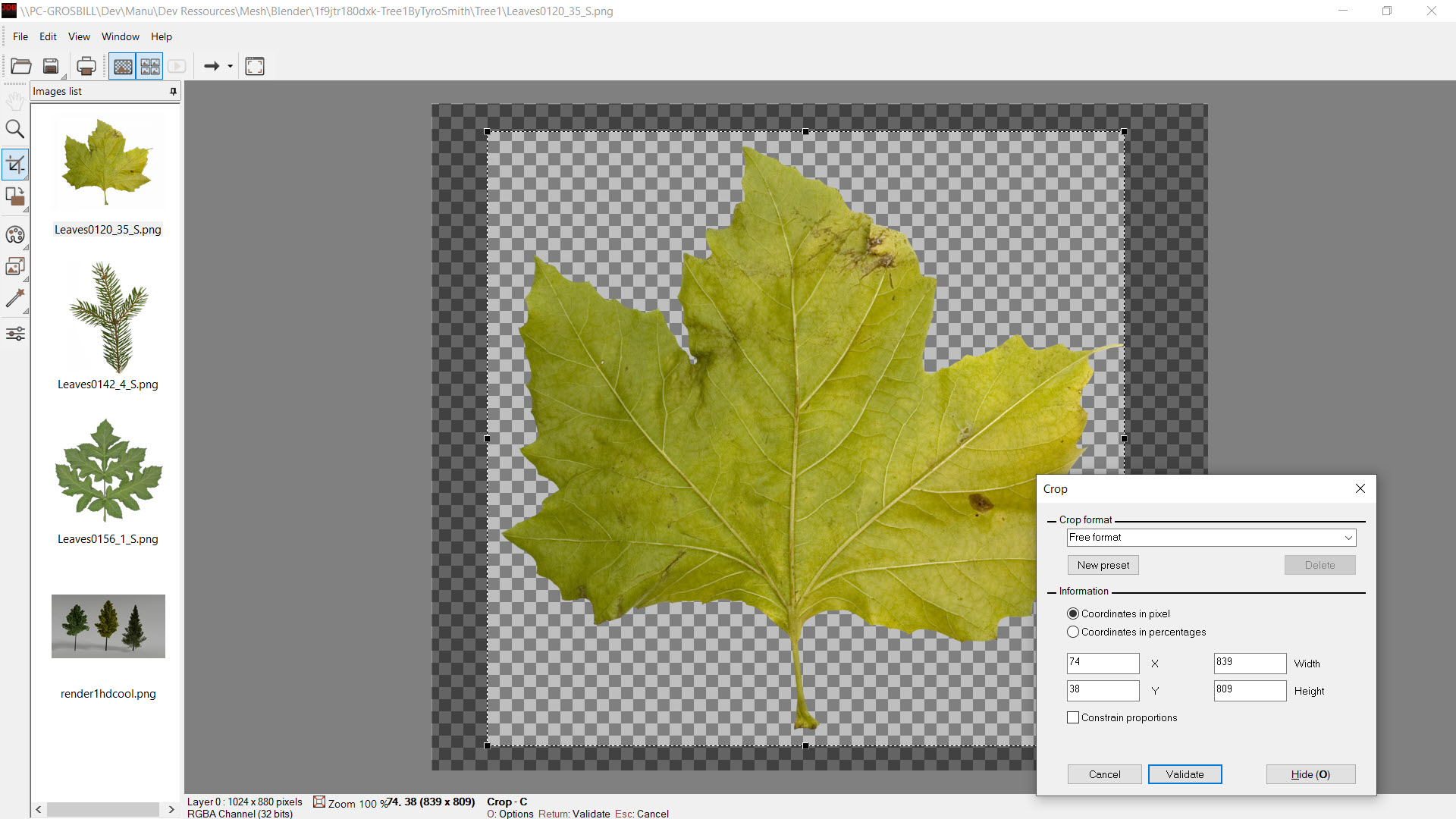 An image viewer integrates the essential functions for visualizing your textures or photos.
It displays the different image layers (with or without transparency) and includes the tools you need to perform basic image operations:
- Crop and resize
- Export to multiple formats
- Rotate to straighten the horizontal axis of an image
- Color adjustment
- Liquid resizing, deformations
- Filters
- Printing...
Tools for graphic designers
A hyper-efficient explorer
A day's work in front of a computer involves a certain number of repetitive tasks.
The time wasted accessing directories, opening files, compressing or decompressing archives, opening applications is not negligible and adds up to hours over the course of weeks...
3DBrowser offers a wide range of functions to save you the time you'd otherwise spend on these tasks.
- Preview of 3D files and images, including those in zip archives
Thumbnails are shared with Windows File Explorer (thumbnail view and quick preview panel). - Flat view of directories, to see the contents of a directory and its subdirectories.
- Tabs and split view to simplify operations between directories or their comparisons.
- Fast filtering of files, customizable sorting, group view
- Metadata display through compact or customizable display (materials, number of polygons, EXIF...)
- Favorites and albums
- Advanced Search to quickly find a specific file in your collections.
- Decompression/compression of a directory or tree structure
- Batch renaming
- Tree filtering to focus on important directories
- Shortcuts to your applications to quickly open your files
This list is not exhaustive, and 3DBrowser has many more surprises to make accessing your files even easier and more straightforward.
Organize your 3D content and images
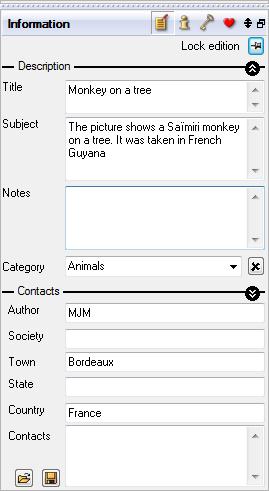 3DBrowser allows you to document your 3D or image libraries. You can quickly add keywords, categories and notes to your files.
This metadata can then be used by various tools within the application. For example :
- Use the search tool to find all models with a specific category or keyword.
- In the customizable view to highlight useful information (3D metadata or EXIF for images)
- Print tool to create contact sheets with notes and comments
- In the annotation tool of the 3D viewer, in slideshows...
Albums can be used to extract collections of files from different directories. Albums consist of references to these files. They allow you to group 3D content in different ways without changing the underlying organization of your files
3DBrowser (Pro version) allows annotation within a 3D file. Choose the appropriate view angle and add an annotation to an object. These notes are retained when the 3D view is closed. You can then find them again and navigate from one note to another. This process makes it easier for your teams to share information.
Automate your 3D production chain
While 3DBrowser offers functions for converting scenes or resizing images from an entire directory with just a few clicks, it also allows you to create more complex tasks.
You can automate specific tasks by creating batch commands.
Most 3D features and image processing is scriptable. Create images from your 3D scenes? Convert images to JPEG 60 quality? Generate Atlas? Convert scenes into different formats? Choose one of the predefined commands or create your own.
3DBrowser (Pro version) includes Polygon Cruncher's batch processing module. This module automatically generates LOD versions of your high-resolution scenes. For a single file or all files in a directory, you can export low-resolution versions optimized to 50%, 80% and 95% or to the level determined by MagicCruncher. By calculating the optimal optimization ratio, MagicCruncher fully automates the process.
Tools to share your data
3DBrowser integrates many additional tools to make it easy to share your data.
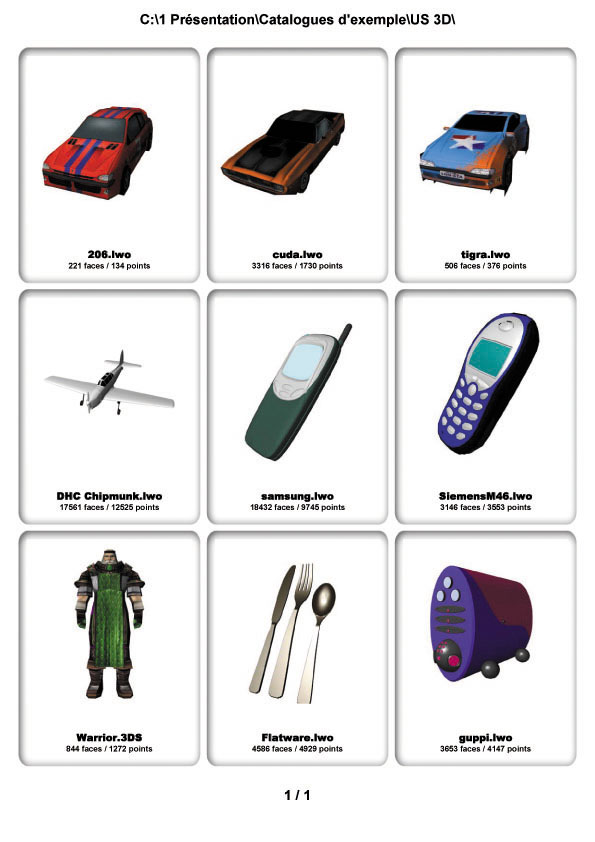 You can print contact sheets from your 3D libraries or images. In conjunction with Ghostscript, you can export to PDF. You have full control over the layout: font size and type, colors, number of images, header and footer, text accompanying the images (size, description, title...). Predefined templates are available or you can define your own.
You can easily create an animated GIF from your scenes. Choose the angle of view and rotate around the stage: a quick and easy way to present your work.
Use the screen capture tool to capture the details of a scene or record a sequence for quick sharing via email or copy and paste into your instant chat thread.
The zip creation tool compress a set of files or an entire tree structure in 1 click.
The decompression tool makes it easy to extract files to predefined target directories.
You can create a slide show from your 3D libraries. A screen saver displays your 3D assets or images when your computer goes to sleep.
It's also possible to export all the metadata associated with your files to a text file for re-integration into a database, for example.
And so much more...
Learn about and try out other features of 3DBrowser and 3DBrowser Pro.
Download and install 3DBrowser with no obligation.
The full version is available for a 30-day evaluation period before you decide to purchase the software.